Website Link
Website Link
select
mpn,
REGEXP_REPLACE(upper(mpn), ‘[^a-zA-Z0-9]+’, ”) as mpn_norm
from
…


I was following the “High Performance Computing using Rcpp” in Hadley Wichham’s Advanced R. I did an experiment in R which there are two functions, one function myRowSum written in C++, and the other one written in plain R. As you can see from the code, they are very similar, same variable name, same for loop, same logic…etc. However, I have been totally blown away by the difference between total time.
I created a dummy matrix with 100,000 rows and 9 columns each.

Then I am thinking, maybe I should try what is the difference between some `vectorized` function in R and see how that compares with Rcpp. Again, Rcpp beat apply function, after I changed the record to 1 million rows times 10 columns each row. It took 10+mins and the for loop in R was still running and I have to stop it because I have no idea how long it gonna take.
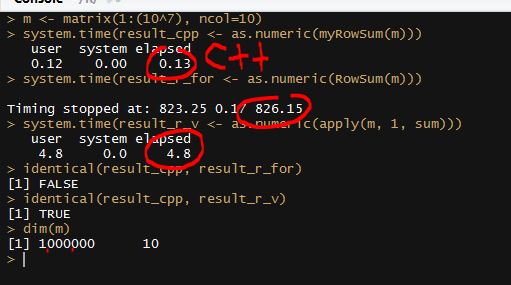
This experiment totally changed some of my impressions and I started to understand why people really hates for loop in R. Again, all these interesting stories happens in R and I have never jumped out of the R environment, Rcpp makes R possible to it easy to boost the performance of R to C++ level.
If you are using R and found it slow, don’t blame R, blame yourself!
The true power of Coursera is not only the accessibility of its learning materials but also the true pressure from the deadlines! Deadlines of homework, deadlines of quiz and now is the timing of final!

I am writing a very basic hadoop streaming job where the mapper is basically to split each line into key and value, and the reducer to echo back the output from the mappers. This is a little bit different from just mapper-only job, it will do the big key-group. And the result will be order by key (not by value as default).
However, the progress from the command line is really confusing and it reminds me of all the criticism about windows installation progress bar, i.e, it is not linear at all!
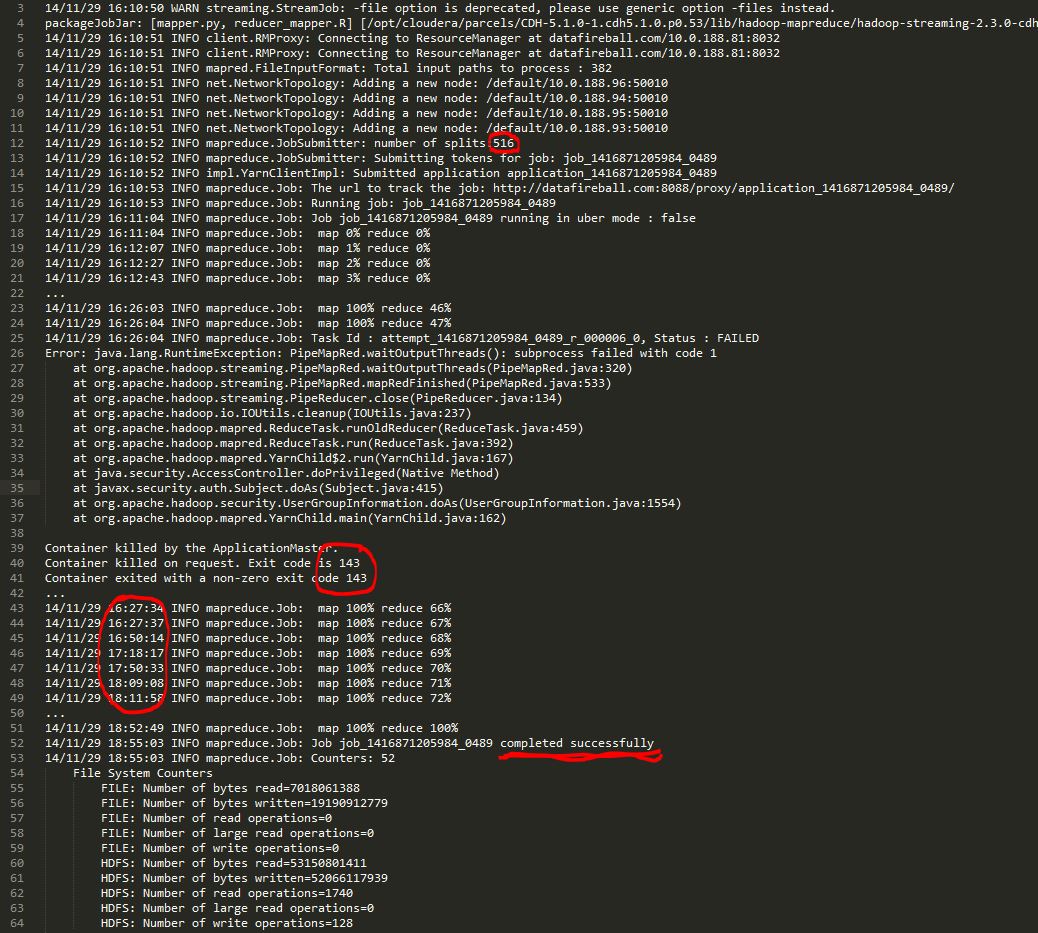
As you can see, the mapping part finished in about 10 minutes and And the reducer part finished “67%” very fast, however, it took about 20 mins to got to 68%, another 30mins to get to 69% ..then 10 minutes for each percentage. The whole job finished in about 2 hours which is acceptable but I am really confused and curious what is really going on during that time.
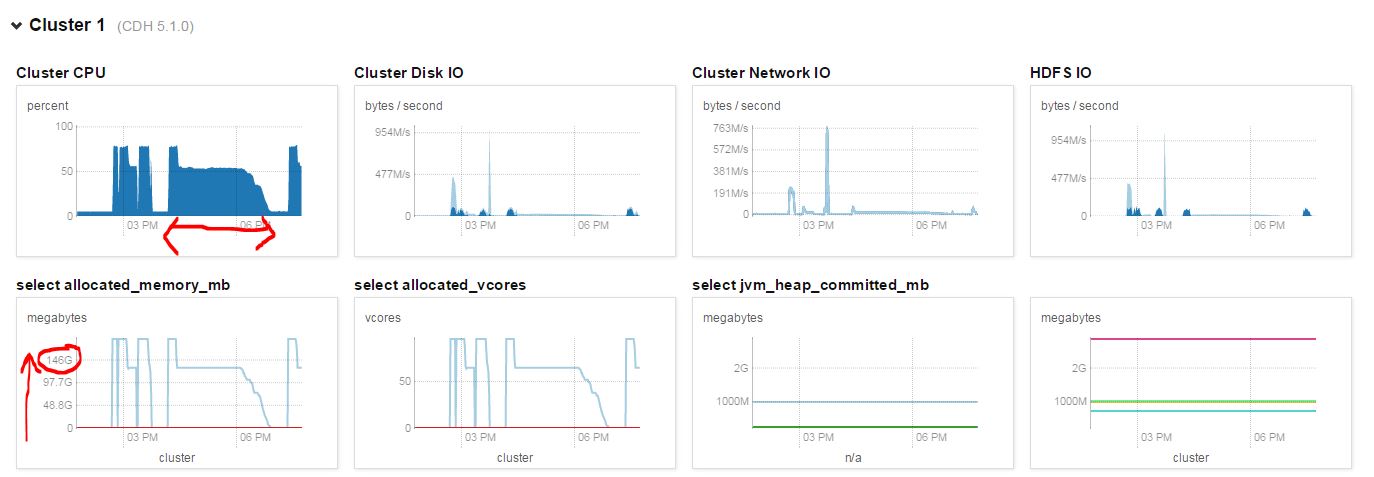
I pulled the cluster performance at that time and I can see the CPU was busy most of the time, which kind of proved that the cluster was not idle.
I also
After you unleashed your mapreduce job, how could you monitor the progress of your map reduce jobs beyond the standard output from the hadoop it self.

An easy to monitor any types of map reduce job running on the cluster is go to the url: http://<namenode>:8088, which is the application dashboard for YARN. From there, you can dive into the nuts and bolts of each job, like how many mapper/reducers there are, how much progress they have made..etc.
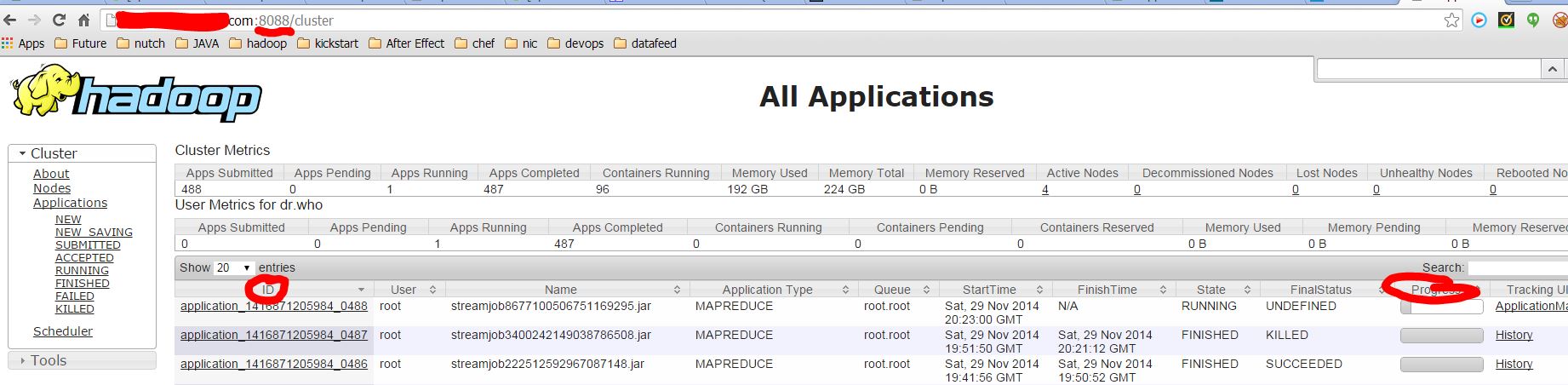
If you are in the command line and hard-core enough to prefer command line. You can use the `hadoop job` command to manipulate map reduce jobs.

 datafireball