Python – __init__.py

Whenever you play with a python package, you will always see some boilerplate files or structures here and there. __init__.py is a file that resides in most of the packages. And even sometimes, they are empty, so what they do?

Here is a summary of its functionalities:

1. It will treat the directory where it is as a loadable module.
Here is a real world example showing you what difference even an empty __init__.py makes.

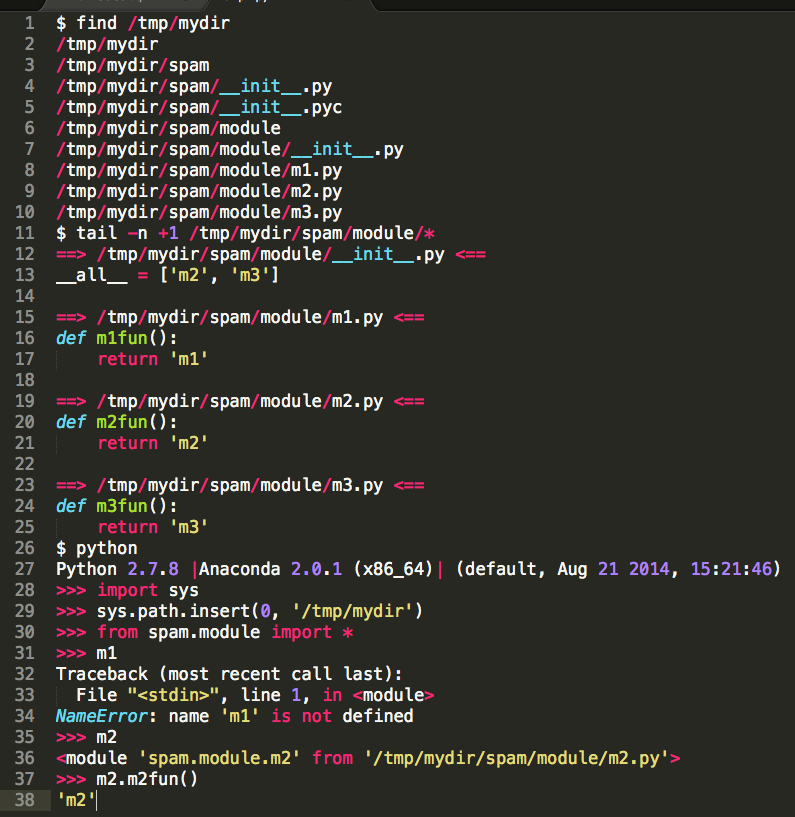
2. You can define __all__ variable in __init__.py to decide when user type in from package import *, which modules will be loaded.

Screenshot 2015-01-03 11.18.34

3. Define a commonly used variable, check out this Stackoverflow answer.

Looker – A competitor of Tableau

I was looking at the pricing for the visualization tool Tableau and i am really surprised to see the Tableau server could cost as much to 300K a year. I also heard something bad about Qlikview pricing, and then I came across this cheap solution called – “looker“, first, this is the very first time that I have heard of this tool even from tens of data meetups that I have ever attended. Clearly, it has a fairly small market share in the world of data (big data) visualization. However, as they have put on their website, seems like they have really done some work on the connector with all the commonly used data sources like cloudera, teradata, SQL server…etc.

looker

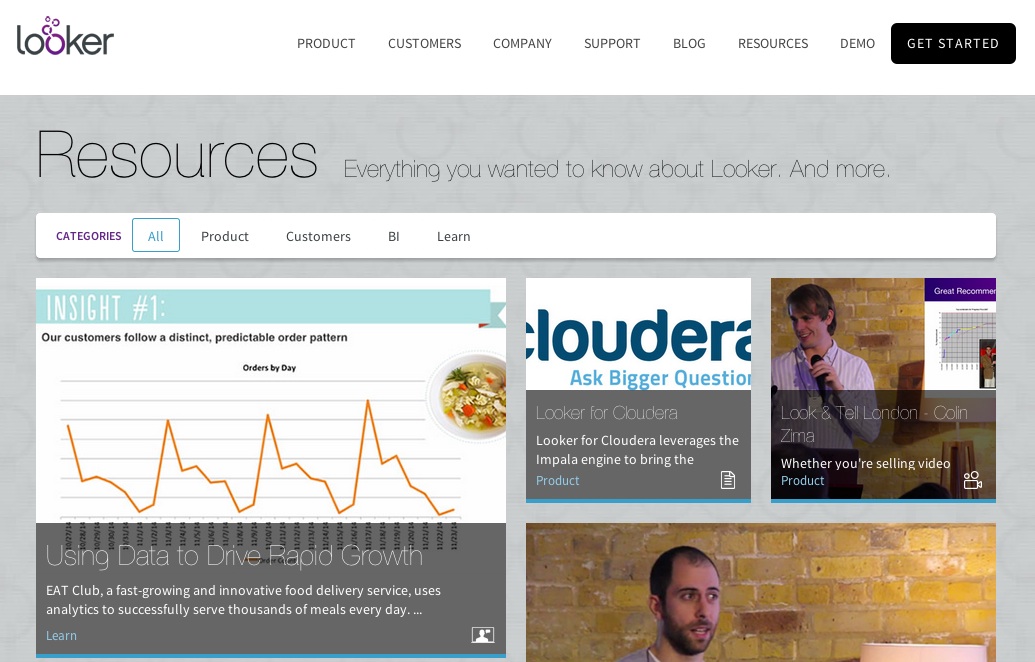
Here is a quick commercial video from looker for you to have a quick look at their visualization capability.

Apache Spark – First Impression

If you are still proud of the fact that you have years of hadoop map reduce development on your resume, you are out.

As you know in 2014, Apache Spark totally knocked out Hadoop at the Terasort benchmart test.

spark_terasort

From the technical perspective, they are all cluster frame work but Spark is more memory intensive and therefore, its processing cap will be much lower than Hadoop. However, as the technology develops, the general memory limit for a commodity hardware could easily go beyond tens of GB, and it is not surprising that you have a server that has hundreds of RAM. In that case, if you have a small cluster of 10 servers, the theoretical capacity for Spark is 640 GB (64GB RAM each). Unless you are working for the companies who mainly focus on user activities at a very high level of granularity, any commonly used structured routine dataset like years of invoices, inventory history, pricing, .. could be easily fit into memory. In another way, a dataset with low billions of records could easily be processed by Apache Spark. Nowadays, services like AWS, Google Cloud also makes it really easy to pay for extra hardware as you go. Say you have a really really huge dataset that you want to take a look, simply bring up a cluster with customized size of memory and computing power and it is also fairly cost effective.

I have already spent a few hours on Spark and SparkSQL, it was a little bit PITA at the beginning to make sure that pySpark is properly set up (I am a heavy Python and R user) but after that, it is mainly a matter of time to get used to the Syntax of pyspark.

Here is a programming guide that I found really helpful. I highly recommend to try out every example and be familiar with every new term if you don’t know what they mean like (sc, rdd, flatmap…etc.)

The reason that I really like it because the philosophy there is a lot like Hadley Wickham’s dplyr package. You can easily chain the commonly used transformation operations like ‘filter, map(mutate), group_by…etc.’. And so far, I am playing around with a dataset that contains 250 million rows, I have not done that much performance tuning but the default performance out of box is fairly promising taking my small cluster into consideration (500-GB memory capacity). A map function (do some transformation on each line) generally takes less than 2 minutes.
Smartphone as Remote Control: Apptui

as a person who does presentation a lot, one must realize the importance of being able to walk around without coming back to your laptop to switch between pages. You can either spend $30+ buying a remote control and carry that with you whenever you present. Or you can simply leverage the most powerful and convenient device everyone has – your smartphone.

There are currently many apps already in the market. I took a quick look at the app store and found several free applications. However, the one that I love the most is the application called Apptui.

apptui
y
ou have to first install the app on your smartphone with a helper launcher on your laptop. Then you are free to go.

You basically can do anything your mouse and keyboard does. And the application has some customized GUI based on the app you are using. Like you are using powerpoint, browser, grooveshark…etc.

However, there is one feature that is missing is you can not easily use your smartphone to switch between apps. And you cannot take note/draw staff on the presentation – unless you bundle a laser gun with your iphone :).

In the end, I am really happy with this software.

SQOOP – Teradata Manager Factory

Sqoop is a useful tool inside the hadoop stack which will move data from traditional relation database (mysql, oracle, teradata..) to hdfs (hive) and vice versa.

However, to correctly set up the driver for teradata, you need to use the cloudera teradata connector to make it work.

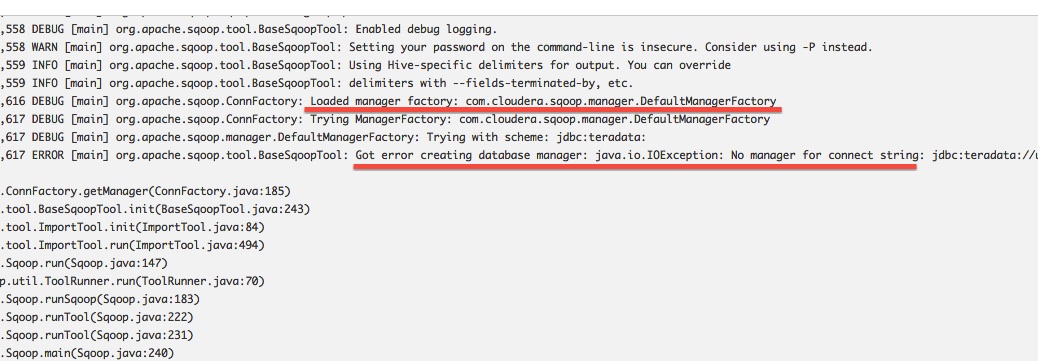
If you are using Cloudera Manager, in the perfect world, it might just be a few clicks, download the teradata connector parcel, distribute, deploy and activate. However, if you are living in a slightly different world, like me(cloudera manager is not working properly, you run into the error like manager factory cannot find the right class.). I had to manually create a folder named “manager.d” and place a configuration file under it which point the class to the right location of the teradata connetor jar file.

Please check out this short documentation – Cloudera Connector for Teradata

sqoop_default

teradata